


Poseit
3.9673.00 Reviews
App Specs
- Version
- 2.2.3
- Updated On
- License
- Free
- Downloads
- 1,000,000+
- Developer
- 1ManBand
- Categories
- Art & Design
- Platform
- Android, iOS
Screenshots
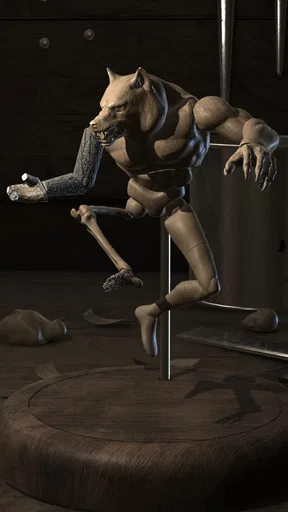
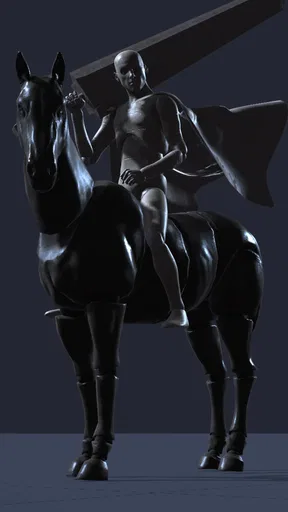
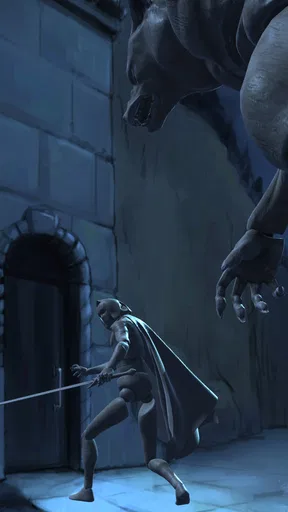
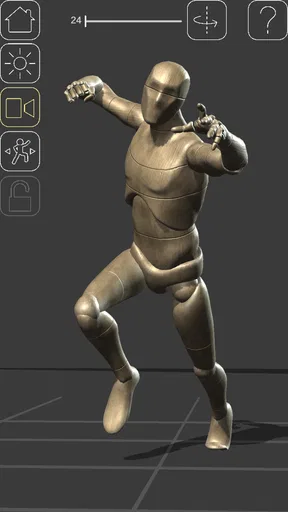
 Analysis by AppCompare
When I’m sketching a figure and can’t quite picture how the weight should sit on the legs, I’d rather test the pose than guess at it. Poseit gives me a movable digital figure to use as a drawing reference, making it useful for quick studies and character planning. It is an art and design app from 1ManBand, and its main appeal is practical: I can work out a pose on screen, then spend my drawing time interpreting it instead of repeatedly searching for the right reference.
A reliable starting routine
I get the most from a pose-reference app when I treat it as a rough staging tool, not a substitute for observation or anatomy practice. I start with the broad action: where the torso leans, which leg carries the weight, and what the arms are doing. Once that reads clearly, I adjust the view and refine the smaller gestures. This order helps me avoid polishing a hand or head angle before the whole pose feels convincing.
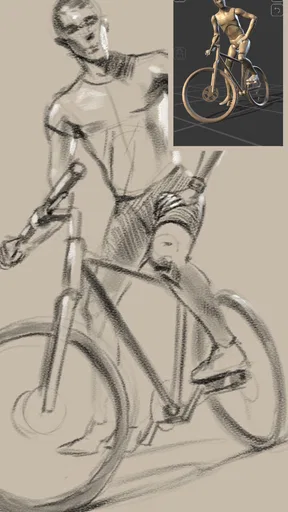
That workflow is especially handy in an everyday situation: I might have a few minutes between other tasks to plan a character leaning over a desk. Rather than opening a general image search and hoping to find the exact angle, I can arrange a model, inspect the silhouette, and make a quick sketch from it. The digital mannequin is most valuable in these moments, when I need a controllable starting point rather than a finished visual answer.
Using Poseit as a drawing reference
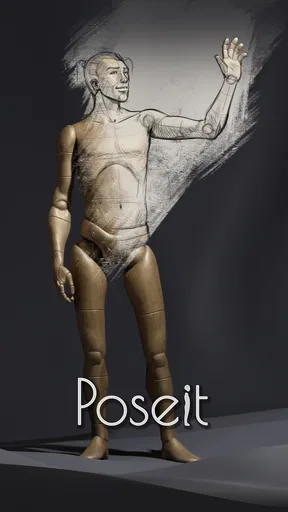
Imagine having a virtual model at your fingertips, ready to pose however you need, anytime and anywhere. That’s basically what Poseit offers. It's an app designed to help artists create realistic human poses by providing a customizable 3D model. Whether you’re sketching superheroes or designing fashion poses, this app is a fantastic tool to add to your creative arsenal.
Getting comfortable with the controls
First things first, the user interface is super friendly. Even if you’re not tech-savvy, you can easily navigate through the app. The controls are intuitive, allowing you to manipulate the model with just a few taps and swipes. You can rotate, zoom, and adjust the model to get the perfect angle. It’s like having a mini studio right on your phone.
There is still a small learning curve in deciding what to adjust first. When a pose looks stiff, I find it more useful to check the overall balance and direction of the body than to keep moving individual limbs at random. I also rotate the figure before settling on a view: a pose that looks readable from the front may hide the overlap between the arms and torso from the angle I actually want to draw. Taking that extra look can prevent a reference from becoming a confusing silhouette.
Pose building and repeatable habits
Another cool feature is the variety of poses you can create. The app offers a vast library of pre-made poses, but the real magic happens when you start customizing. You can tweak the model’s limbs, adjust the head tilt, and even change the hand gestures. Plus, with the option to save your custom poses, you can build a collection of go-to positions for future projects.
Worth Reading Before You Choose

EA SPORTS FC Mobile 26 Is a Bigger Football Game, but It Takes Time

Flipboard Shows What News Apps Must Do Beyond the Feed

Switching to Android Auto Means Rethinking Your Driving Routine

Google Calendar Makes a Crowded Week Easier to Manage

Ludo King Makes the Most of the Minutes Between Plans

Baby Panda World Brings Quick Play to Modern Phones, but Its Game Library Feels Busy
For repeat work, saved poses are more useful as starting points than as templates to copy blindly. I’d keep a few that solve recurring problems—such as a standing figure with clear weight on one side or a seated pose with the limbs separated—and then alter them to suit the scene. That gives me a faster route into a new drawing while keeping the characters from looking mechanically identical. A pose that works for a calm conversation, for example, may need a stronger lean or a change in head direction to communicate impatience.
Settings that affect the reference
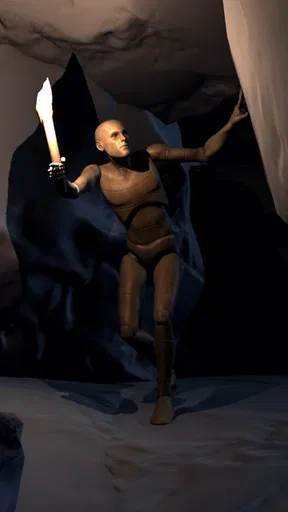
Lighting is crucial in art for setting the mood and adding depth, and Poseit doesn’t skimp on this aspect. The app allows you to simulate different lighting conditions, helping you understand how shadows and highlights affect your composition. You can change the light source, adjust the intensity, and see how it impacts the model. This feature is a godsend for artists looking to improve their understanding of light dynamics.
I use the lighting controls to make form easier to read, not to treat the preview as a final rendering guide. A strong light can clarify the direction of the chest, hips, and limbs, but dramatic shadows can also conceal details that matter in a study. If I’m drawing for structure, I keep the lighting simple enough to see the major planes. If I’m planning a moodier image, I’ll experiment with a more directional setup and then decide separately how much of that effect belongs in the finished artwork.
As for textures, you can change the model’s skin tone or add various materials to see how they interact with light and shadow. This is particularly useful for character design, as it lets you experiment with different looks without having to redraw anything.
Where the app fits in an artist’s toolkit
What I love about Poseit is how it combines functionality with creativity. It’s not just a tool; it’s a creative partner. The ability to experiment with endless possibilities without any pressure is liberating. Plus, it saves a ton of time. Instead of spending hours trying to figure out a pose, you can quickly create it in the app and move on to the fun part—drawing!
Compared with searching for photographs, a 3D mannequin gives me more control over the viewing angle and lets me adjust a pose that is close but not quite right. Photographs still have an edge when I need the subtle compression of a real body, believable fabric folds, or the small asymmetries that make a gesture feel lived in. A separate anatomy reference is better when my question is about muscles or skeletal landmarks rather than staging. I see Poseit as a bridge between those options: fast for composition and pose planning, but not a complete replacement for life drawing or varied real-world references.
It is also worth remembering that a constructed pose can look plausible without being comfortable or physically natural. I check whether the balance makes sense and whether the gesture says what I intend before relying on it. For expressive hands, interactions between people, or a character holding an object, I may still need to draw from my own observation or find a more specific reference. The app helps me solve the broad arrangement; it doesn’t automatically solve every detail of a scene.
Who will get the most from it
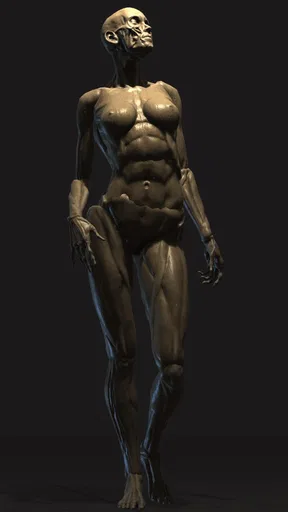
Also, for those who are just starting out in art, Poseit is an excellent learning resource. You get to see how different poses look from every angle, which is a great way to improve your understanding of human anatomy and proportions.
I’d especially recommend it to people who sketch characters regularly, work on a phone or tablet, or get stuck translating an idea into a readable body position. Beginners can use it to explore how changing a viewpoint affects the silhouette; experienced artists can use it to block out a pose quickly and return to their own drawing process. It may be less useful if your work depends on highly specific clothing, props, unusual anatomy, or exact real-person likenesses, since a general mannequin is only a starting reference for those needs.
The app is free to install and is rated for Everyone. Its current version is 2.2.3, with a minimum OS requirement of 7.1, so it is worth checking that your device meets that requirement before planning to use it. Optional in-app purchases range from $0.99 to $7.99 per item, which is a reason to look at what is included before deciding whether you need to spend anything. It has a 4.0 average from around 8.6 thousand ratings, with over 1 million installs; those figures suggest a well-used tool, though they can’t tell you whether its particular workflow suits your hands-on drawing style.
Limits, and a sensible way to work around them
My main caution is not that the app lacks a use, but that it can make artists too comfortable with a tidy digital figure. Real bodies vary, and a mannequin may not capture the tension, imbalance, or small distortions that give a pose its character. I use it to answer a focused question—where the torso turns, how the legs overlap, or what the view looks like from below—then return to the sketch and exaggerate or correct what needs attention.
It is also easy to spend longer adjusting a reference than drawing from it. To avoid that trap, I decide what I need before opening the controls: perhaps a clear silhouette, a readable arm position, or a view of the back. Once the reference answers that question, I move on. This simple limit keeps the app in the role of a helper rather than turning pose-making into a separate project.
A practical verdict
In a nutshell, Poseit is a must-have for any artist looking to streamline their creative process. It’s versatile, user-friendly, and packed with features that cater to both beginners and professionals. Whether you’re sketching on the go or working on a detailed project, this app can significantly enhance your workflow.
I’d describe it less as a complete art solution and more as a handy reference bench you can carry with you. Use it when a pose or camera angle is holding up a drawing, save useful arrangements when you expect to revisit them, and check lighting only when it helps you read the form. For photo-level realism or detailed anatomical study, pair it with other references; for quickly testing a human figure’s shape in space, it earns its place.
So, if you haven’t tried Poseit yet, I highly recommend giving it a shot. It’s like having a personal art assistant right in your pocket, ready to help you bring your creative visions to life. Happy posing!
Pros
- Intuitive interface for easy navigation.
- Wide range of customizable poses.
- High-quality 3D models and textures.
- Regular updates with new features.
- Offline mode for uninterrupted use.
Cons
- Limited free features in the basic version.
- Occasional performance lags on older devices.
- In-app purchases can be costly.
- Requires a stable internet connection for updates.
- No landscape mode for wider screens.
FAQs for Poseit
What is Poseit and how does it work?
Poseit is a user-friendly app designed for artists and designers to create and visualize human poses. The app offers a wide range of customizable 3D human models, allowing users to manipulate and adjust poses to suit their artistic needs. With intuitive controls and a variety of settings, Poseit helps bring your creative visions to life.
Is Poseit suitable for beginners in art and design?
Yes, Poseit is ideal for both beginners and experienced artists. Its intuitive interface makes it easy to navigate, offering tutorials and tips to help new users get started. With adjustable complexity and a library of pre-set poses, even novices can create impressive and realistic human figures quickly.
Does Poseit require an internet connection to function?
Poseit operates offline, allowing users to work on their creations without an internet connection. However, an internet connection is needed for downloading updates or accessing additional online resources and community features that may enhance the app's functionality.
What devices are compatible with Poseit?
Poseit is available for both Android and iOS platforms, supporting a wide range of smartphones and tablets. It requires a device with decent processing power to ensure smooth operation, especially when handling complex poses or multiple models. Check the app store for specific OS version requirements.
Are there in-app purchases in Poseit?
While Poseit offers a variety of features for free, it also provides in-app purchases for additional content such as advanced models, premium poses, and enhanced customization tools. These purchases aim to enhance the user experience, though the core functionalities are accessible without any cost.


